Your AI work, in one place.
Sentra Works is a desktop workspace for Claude Code and Codex. Each project gets a Workspace with its own rules and memory, an orchestrator plans the work for your approval, and the same agents build slide decks and proposals.
Version 1.1.0, released October 18, 2026
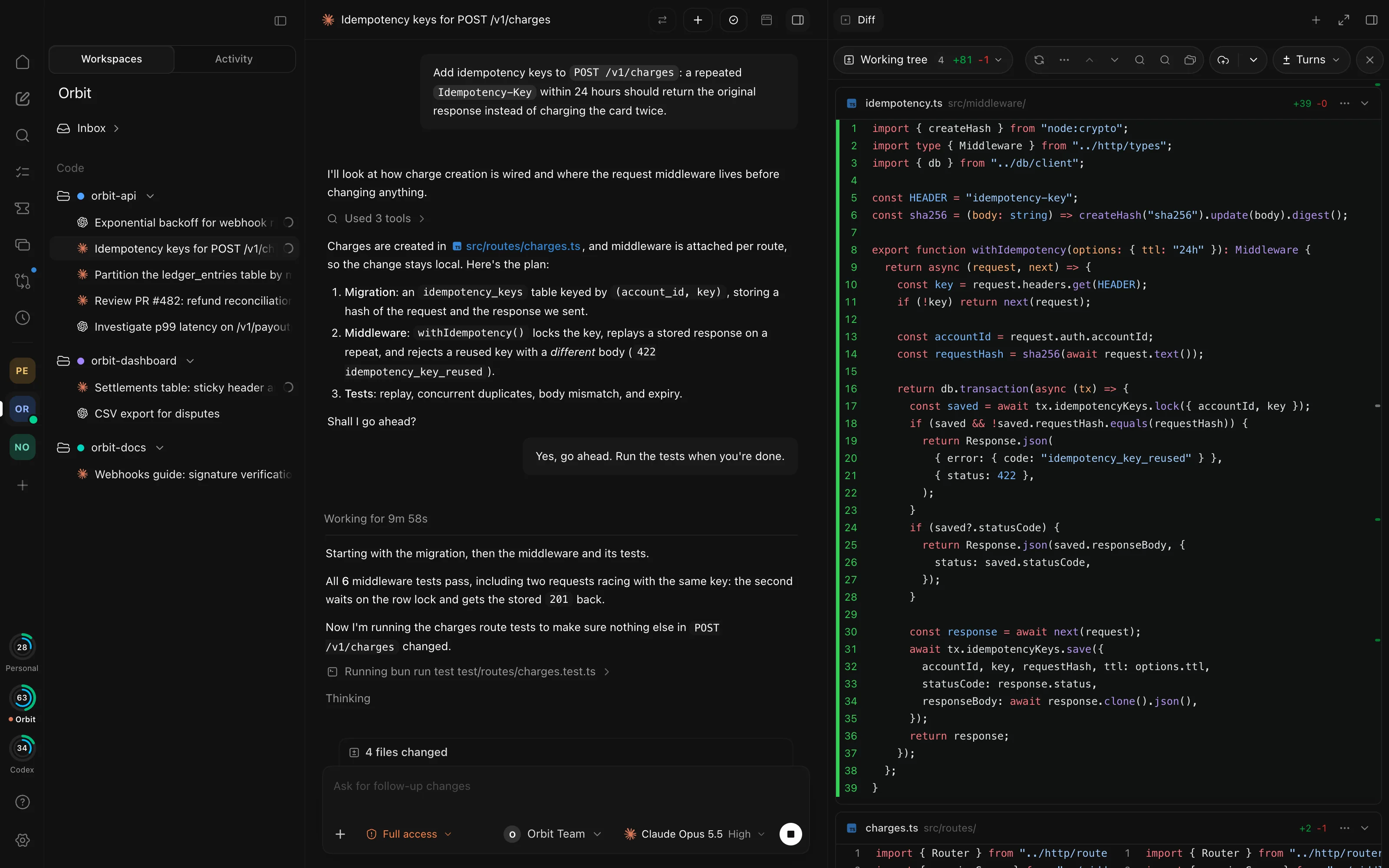
A Workspace for every project
A Workspace holds one project's threads, tasks, and schedules. Write its Rules and Direction once, and every new thread starts with them.
When an agent finishes, it files a report. The lessons in it become the Workspace's memory, which you can edit, pin, or undo.
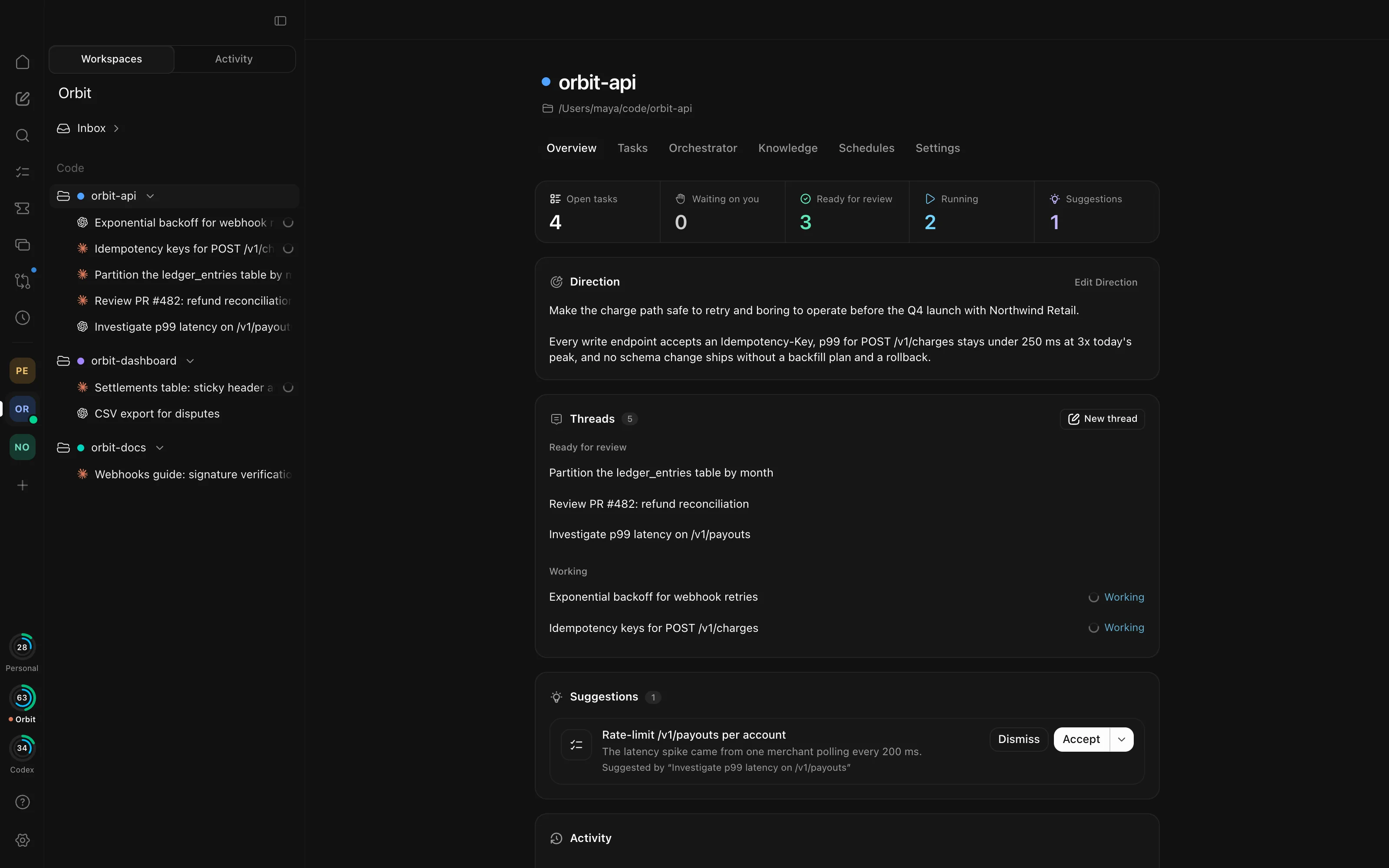
- Code and General
- Code Workspaces sit on a repository. General Workspaces hold meetings, decks, and proposals.
- One look at everything
- The Overview shows what's waiting on you, what's ready for review, and what's running, with tokens and cost for the last 30 days.
- Spaces
- Group Workspaces into Spaces on the app rail, each with its own color, monogram, and shortcut.
An orchestrator that plans, then waits for you
Hand a set of tasks to the orchestrator. It proposes a plan with one thread per task, each with its own model, permission mode, worktree, and first message. Nothing starts until you accept.
When the threads are done, an integration thread merges their branches, runs the checks, and opens a pull request. You decide when it merges.
The orchestrator runs on Claude, in Code Workspaces. The threads it plans can use any agent.
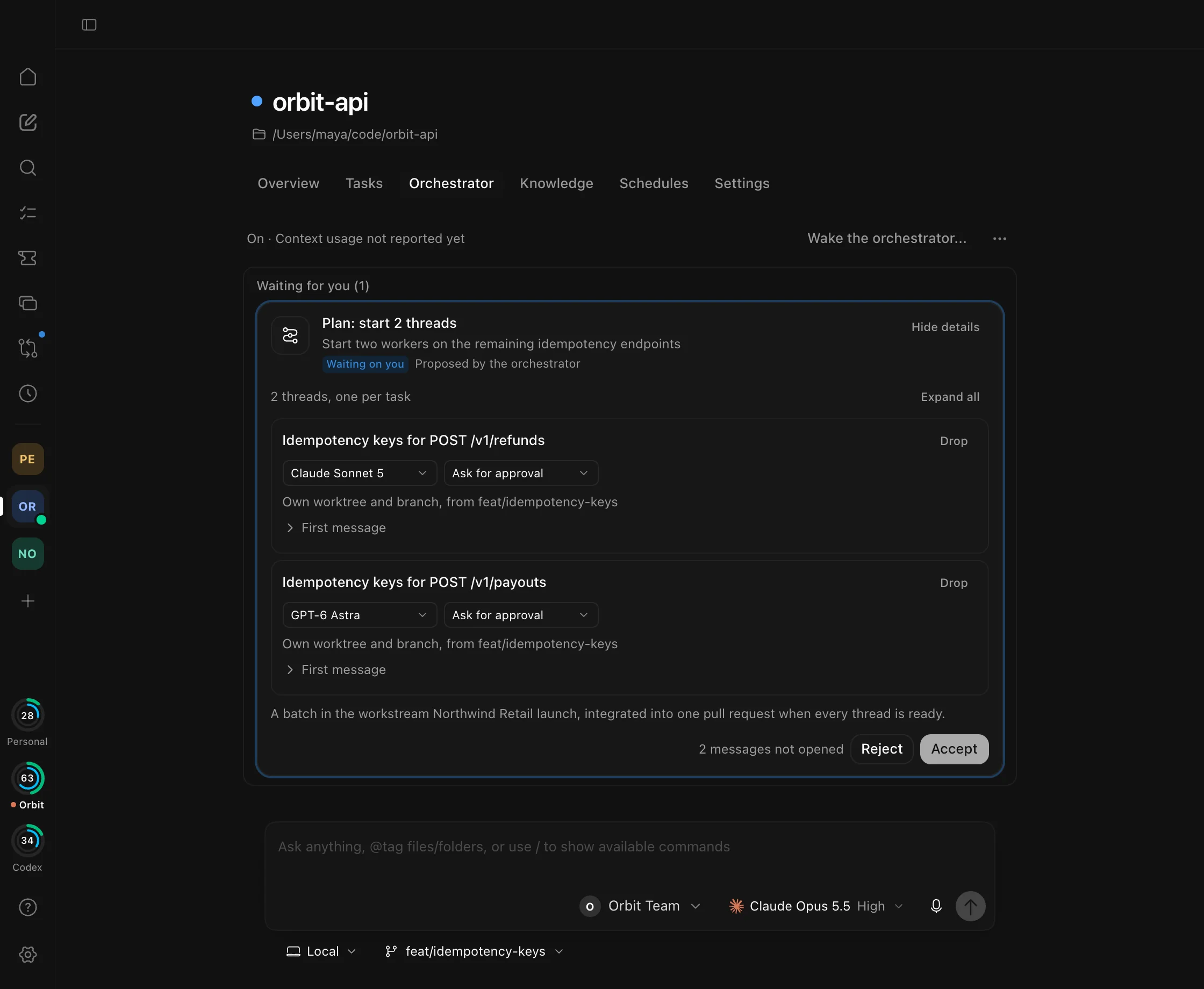
- Every step is a card
- Plans, task changes, merges, and clean-up wait for your Accept. Nothing an agent writes can accept one.
- Scouts
- Read-only scouts look things up in the code, so a plan starts from facts.
- Wakes when work lands
- Reports and finished turns wake it, or it checks in on a schedule you set.
Tasks your agents can pick up
Track the work on a board with workstreams, checklists, due dates, and prerequisites. Start a thread on a task and the agent gets the brief, ticks off the checklist, and leaves Agent Notes as it goes.
Only you change a task's status, and Mark done asks whether you want a report.
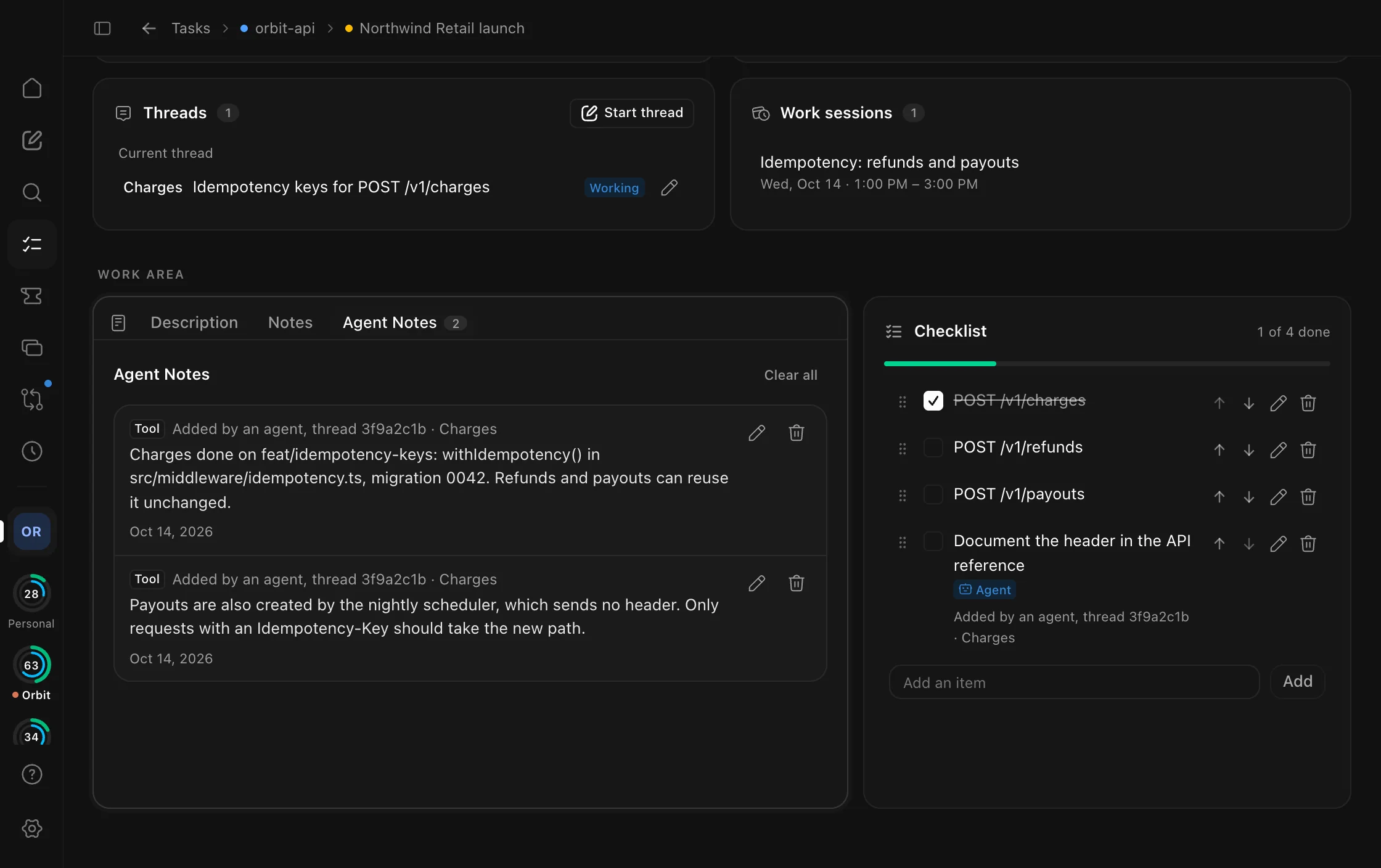
- A window of its own
- Open Tasks in its own window, organized by Space, next to your chats.
- Planning and meetings
- A month plan, your Outlook and Google calendars, and meeting notes sit beside the board.
- Suggestions
- Agents can suggest tasks. They become tasks only when you accept them.
Decks built from your own templates
Describe the deck in a chat. Claude drafts one outline, picks a slide from your template pack for every point, and builds an editable PowerPoint deck.
Present it full screen, restore an earlier version, or export it as a PDF.
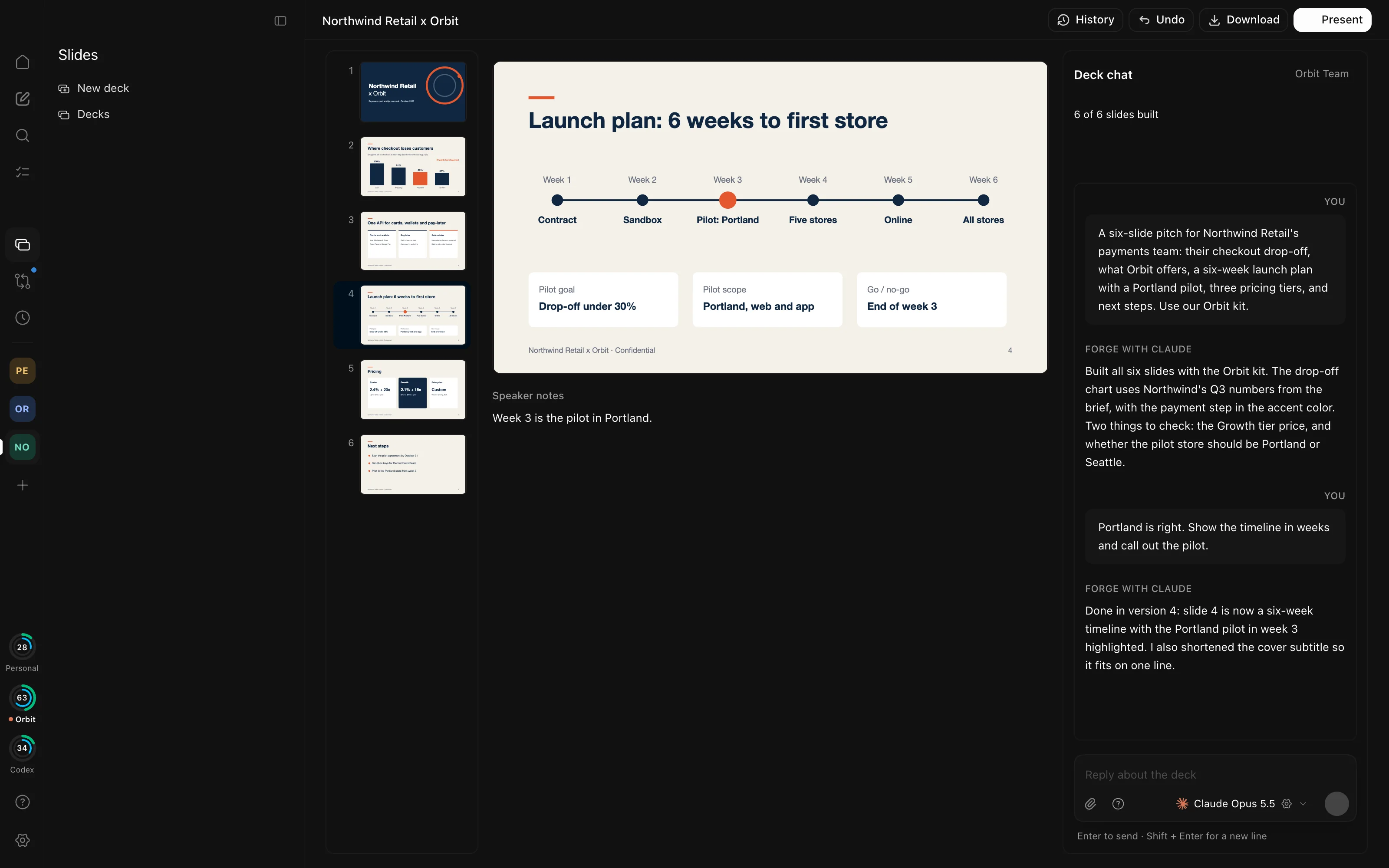
- Brand kits
- Make a kit from a logo, a brand guide, or a website, and re-theme a finished deck with it.
- Checked before it's finished
- Overflowing text, leftover template text, and off-brand fonts and colors are caught before a deck is called done.
- Pictures on request
- Generate pictures with your OpenAI key or ChatGPT plan, with the cost shown before anything is sent.
Sentra Slides needs a Mac with Apple silicon and your own licensed slide template pack.
Proposals with sources you can check
Forge is HYVE's proposal-writing workspace, in a window of its own. Start from the client's brief, agree an outline, and have Claude or Codex write each chapter against sources you can open and check.
One agent proposes open items from the annexes and another challenges them. The finished proposal exports to Word.
Forge runs on Macs with Apple silicon.
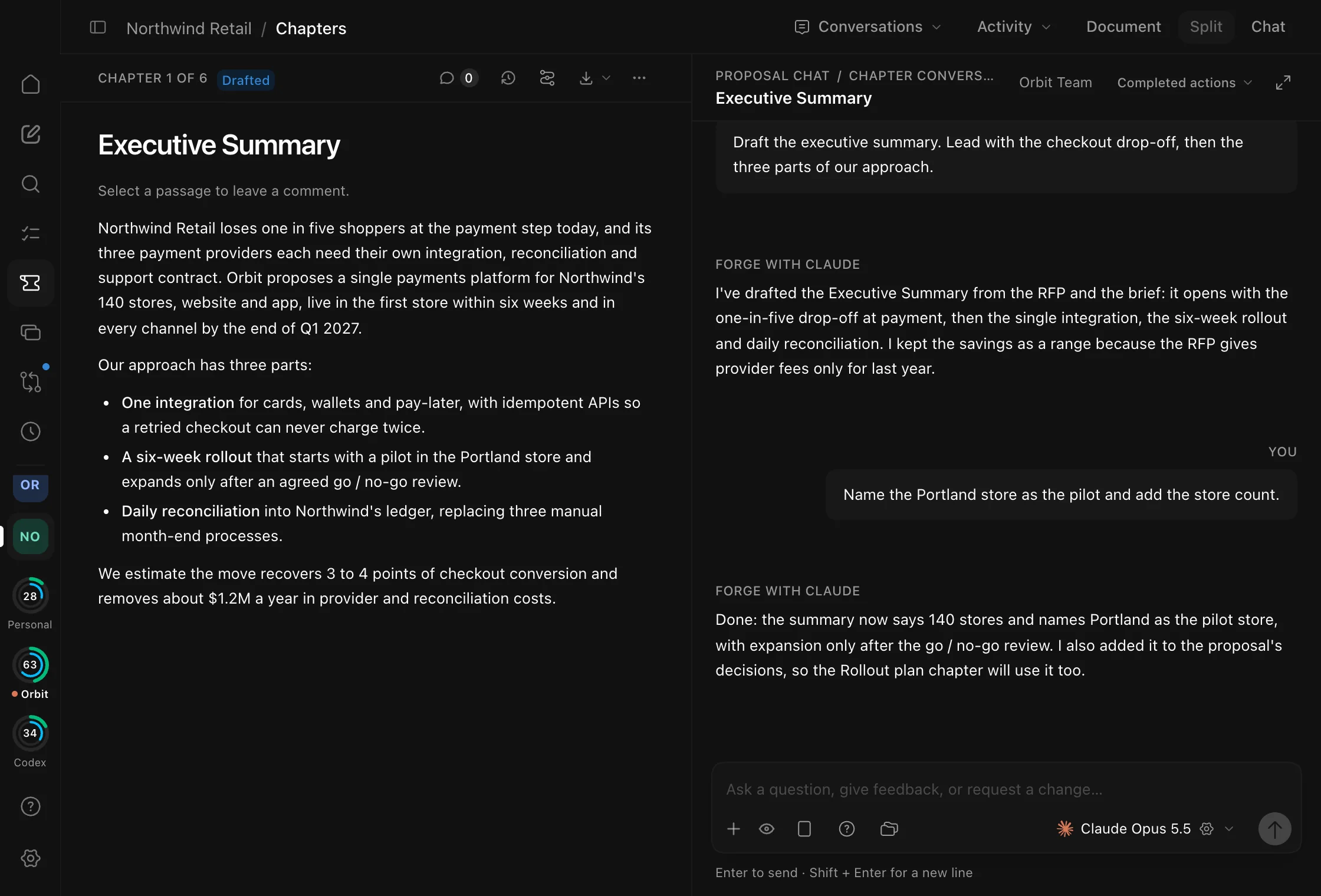
- Grill me
- Before anything is written, Forge interviews you, with a recommended answer for every question.
- A knowledge base you can reuse
- Save reusable pieces, checked for client names, prices, and commitments first.
- Backed up every day
- Daily backups are verified by hash, and the last 14 are kept.
Bring your other computers
Install Sentra Works Gateway on another Mac, a Linux machine, or a Windows PC, and link it in Settings → Gateways. The app keeps it in step with this one: the same Claude Code and Codex versions, your skills, agents, commands, and CLAUDE.md files, and its own sign-ins.
Then add the gateway to a Workspace and pick it in the composer: chats, agents, and automations run there, with that computer's files and tools, and the app copies their history back.
curl -fsSL https://github.com/OmarSultan85/sentra-works-releases/releases/download/v1.1.0/install.sh | shWindows uses a PowerShell installer. All gateway installers
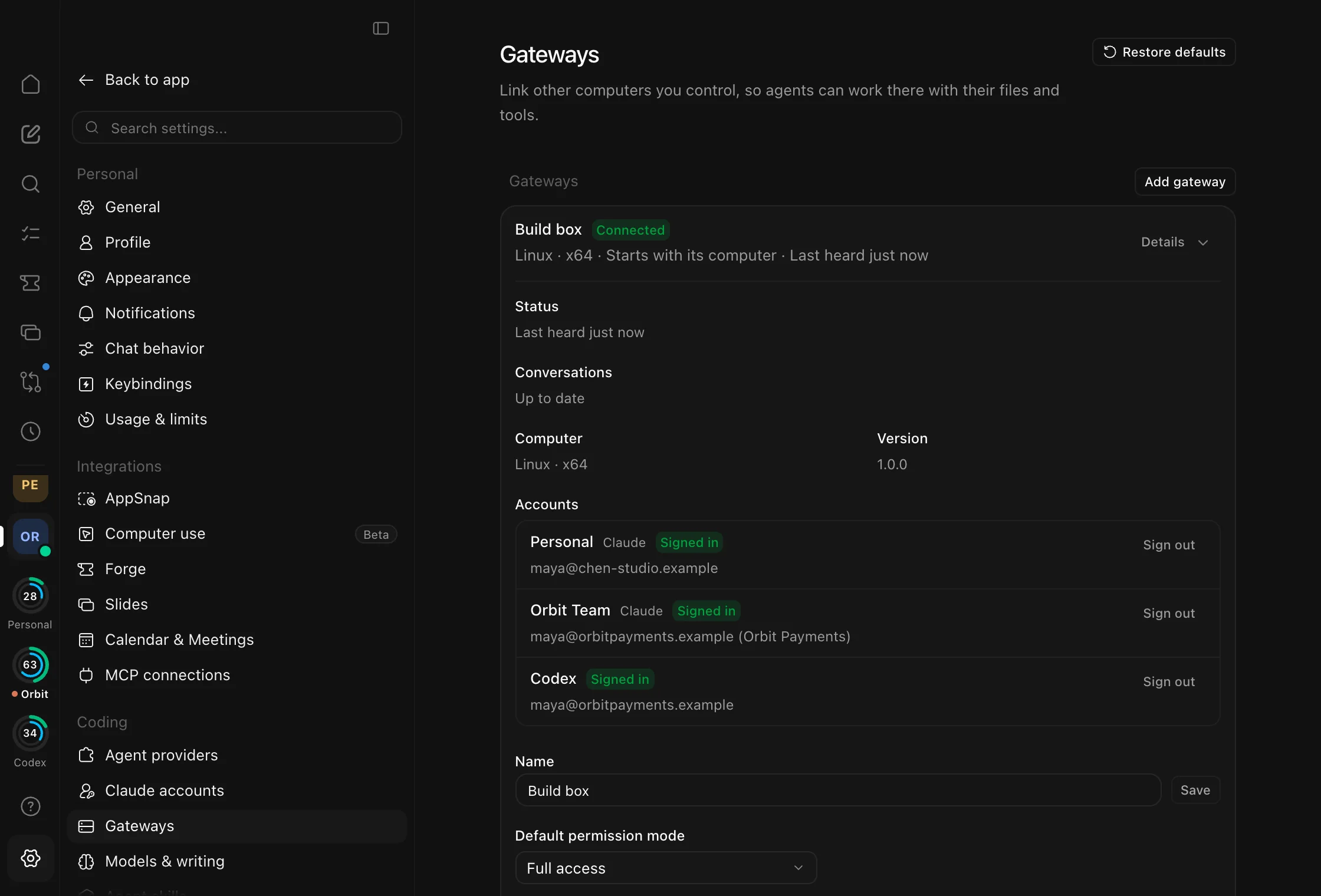
- Linked, not exposed
- A one-time link key and pinned, mutually authenticated TLS connect the app and the gateway.
- Updates itself
- A new version gets a trial start and rolls back on its own if it doesn't come up.
- Your user, not root
- The gateway runs as your normal user, as a background service.
Built for coding with agents
Under the Workspaces is a complete place to run coding agents: many threads at once, each with its own branch, and everything you need to review what they did.
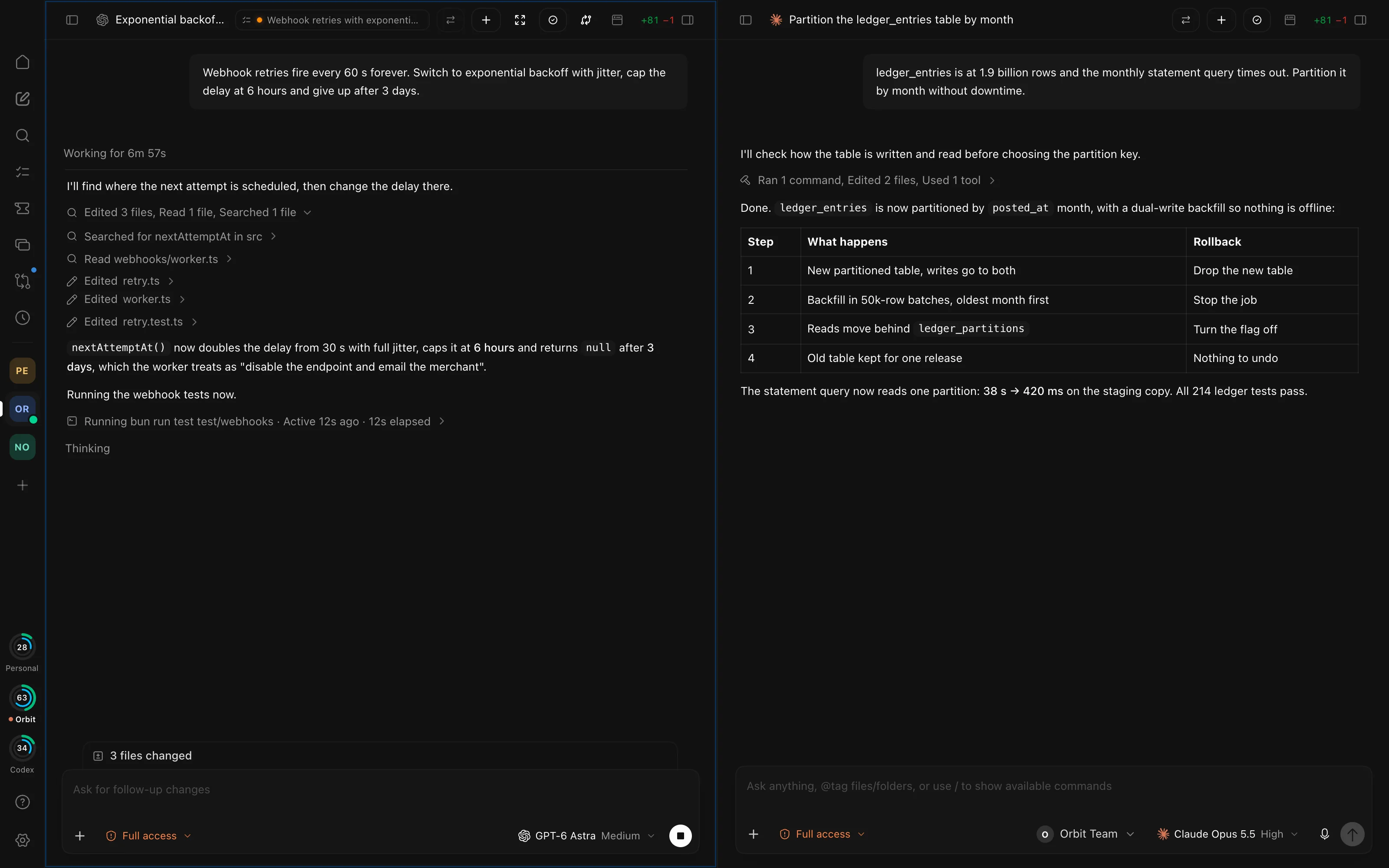
Claude Code and Codex
Side by side, with OpenCode, Cursor, Factory Droid, and four more agent CLIs in Settings.
Several Claude accounts
Pick an account per Workspace or chat, and watch each one's 5-hour and weekly limits on the rail.
A worktree per thread
Give a thread its own Git worktree and branch, and clean both up when you archive it.
Diffs and pull requests
Read every change, find inside the diff, undo a turn, and open the pull request.
Terminal, browser, simulator
A real terminal, a browser your agents can drive, and the iOS Simulator on a Mac.
Split view and windows
Put two chats side by side, or give a chat a window of its own.
Picks up after a restart
Runs, checkpoints, and Undo are recorded step by step, so a quit or crash doesn't lose them.
Pages in the chat
Agents can publish interactive HTML pages and Mermaid diagrams right into the conversation.
Goals and automations
Keep a thread working toward a /goal, or run a prompt on a schedule.
Your own model server
Point a Claude account at Ollama, LM Studio, vLLM, or LiteLLM, and Claude Code runs against it.
Theme packs
Import a theme from a file in Settings → Appearance, or export your own.
It runs on your computer
Your threads, tasks, and memory stay in a folder on your computer. Agents talk to Anthropic and OpenAI through Claude Code and Codex, signed in with your own accounts.
Sentra Works doesn't host models or sell a model plan, and the app sends no diagnostics.
Download Sentra Works 1.1
For macOS, Windows, and Linux. Released October 18, 2026.
This version isn't signed yet, so macOS and Windows ask you to confirm the first time you open it. How to open it